|
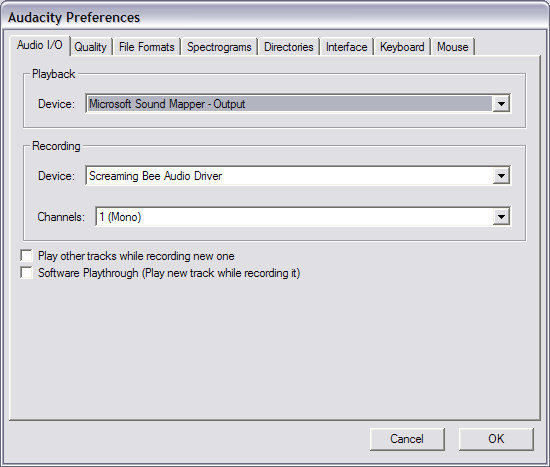
MorphVOX Voice Changer Software can be used with audio editors like Audacity.
This free fine tool is great for editing audio clips for movies, animations and
other sound-related projects. Audacity can be found at this site:
http://audacity.sourceforge.net/
Note: this works only on XP and Vista.
You easily intergrate MorphVOX voice changer with some minor adjustments in Audacity.
MorphVOX can be used as the recording source for Audacity, providing a seamless
experience for your audio creation. Here's how to set that up:
1. Run Audacity
2. Open the menu "Edit/Preferences..."
3. Click on "Audio I/O" tab and adjust the settings to look like this:
|