ScriptVOX Studio provides a way to add subtitles to your stories. This can be helpful
for adding captions for the hearing impaired. It can be useful for providing educational
feedback to early readers or for a foreign language audience.
The subtitle feature provides synchronized, bite-sized, easy-to-read sections of
text in the graphic viewer and in the rendered output of the audio and video file.
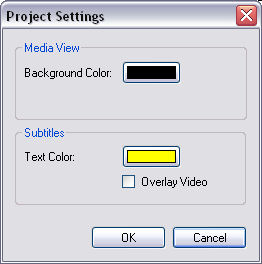
In addition, you can choose the background and text color for the subtitles.
To toggle subtitles, click on the "Project>Show Subtitle" menu item.
To customize the subtitles, click on the "Project>Project Settings.." menu item. This will open the "Project Settings" dialog:
|