|
MorphVOX Voice Changer Software can be used with Mumble. Just follow
the steps below.
-
Run MorphVOX Pro and make sure the "Listen" button is off
so you do not hear your voice when talking.
- Run Mumble.
-
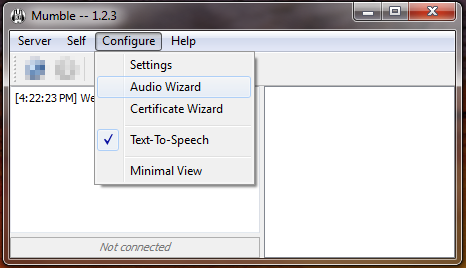
Click on the "Configure" menu and select "Audio Wizard."
- Click "Next" to skip the "Introduction" page.
-
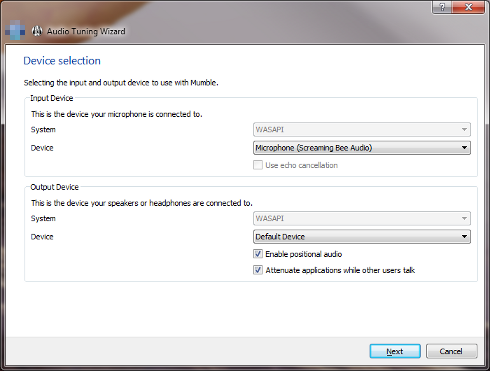
On the "Device selection" page change the Input Device to "Microphone (Screaming Bee Audio)"
- Click "Next" through the remaining pages.
- Mumble should now use MorphVOX morphed voices.
|