|
MorphVOX Voice Changer Software can be used with Windows Live Messenger.
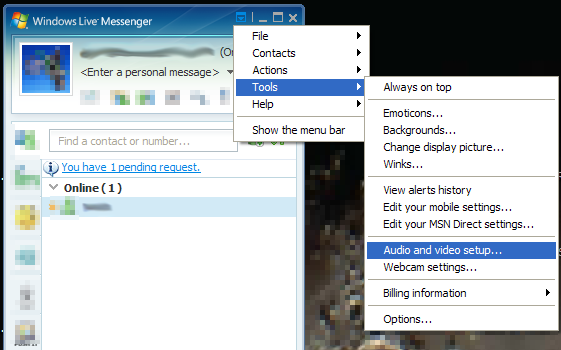
You easily intergrate MorphVOX voice changer via the Audio and video setup...
wizard.
Here's how to set that up:
1. Run Windows Live Messenger
2. Navigate to the Audio and video setup... menu item off the tools menu (shown below).
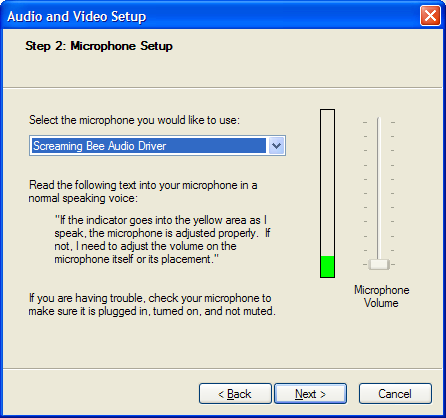
3. Click "Next" through the wizard until you come to the Microphone Setup
dialog (shown
below).
4. Set the microphone to "Screaming Be Audio Driver".
|