|
MorphVOX can be used with Dungeons & Dragons Online (DDO). You can change your
voice to match you in-game character.
DDO is the first MMORPG with built-in voice chat. Adding voice changing to DDO is
simple. You'll be up and running with a new voice in very little time with some
simple settings in the game.
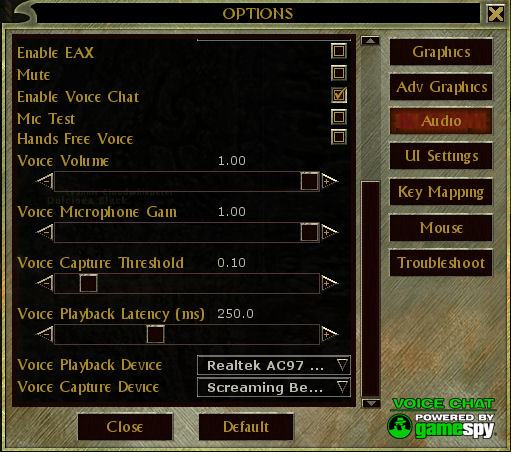
After installing DDO, Open the Audio Options Panel. Make sure to
scroll
all the way to the bottom
of the Audio Options Panel. You should
see the following image:
|